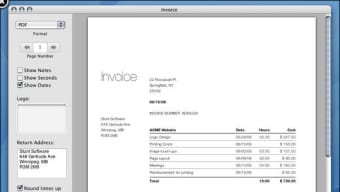



Download On The Job – Time‑tracking software for Mac
Overview
On The Job is a lightweight, Mac‑only time‑tracking tool that blends functionality with a clean, modern interface. First introduced to the catalog in 2006, this business‑software application has amassed over 600 downloads worldwide, with a particularly strong user base in the Philippines. Although the current version (2.2.2) was last updated on October 5 2006, the program remains relevant thanks to its focus on simplicity: you can start, pause, and stop timers for individual tasks without the bloat of larger project‑management suites.
The trial version is free to download, runs securely on macOS X and earlier releases, and requires minimal disk space, making it an attractive option for freelancers, small agencies, and anyone who needs a reliable way to record work hours. Its English‑only UI is straightforward, and the recent UI tweaks—such as added tabs in the Info Panel and new date‑format options—improve usability while preserving the classic look that long‑time users love. Whether you’re billing clients, tracking billable hours, or simply trying to understand how you spend your day, On The Job delivers a no‑frills solution that stays true to its “time‑tracking with style” promise.
Key Features, Installation & System Compatibility
Feature Highlights
- Intuitive timer controls for starting, pausing, and resetting tasks.
- Customizable job settings accessible via new tabs in the Info Panel.
- Two additional date‑format options for regional preferences.
- Automatic warning when resetting all tasks in a job to prevent data loss.
- Compact storage footprint—ideal for older Mac hardware.
- Exportable reports in CSV format for easy integration with invoicing tools.
- Free trial version with no hidden fees; upgrade path available for full features.
Step‑by‑Step Installation Guide
Installing On The Job on a Mac is a straightforward process that can be completed in just a few minutes:
- Download the installer: Click the “Download On The Job” button below to retrieve the DMG file. The download is secured via HTTPS, ensuring a safe transfer.
- Mount the DMG: Double‑click the downloaded file; macOS will mount it as a virtual drive on your desktop.
- Copy to Applications: Drag the On The Job icon into your
/Applicationsfolder. This step registers the app with the system and makes future updates easier. - Open the app: Locate On The Job in the Applications folder and double‑click to launch. The first launch may prompt you to confirm that you trust the developer; click “Open”.
- Configure preferences: Navigate to the Info Panel, explore the newly added tabs, and set your preferred date format and default job settings.
- Start tracking: Create a new job, add tasks, and begin timing. The interface remembers your last session, so you can pick up right where you left off.
System Compatibility
On The Job is designed exclusively for macOS X and earlier versions. The application runs smoothly on:
- macOS 10.4 (Tiger) through macOS 10.6 (Snow Leopard).
- Any Intel‑based Mac that supports the above OS versions.
- Hardware with as little as 256 MB of RAM and 20 MB of free disk space.
Because the software predates modern macOS security frameworks, it does not require additional permissions beyond the standard “Read & Write” access to your Documents folder for report export. Users on newer macOS releases can still run the app via compatibility mode or virtualization, though full native support is limited to the listed OS versions.
Pros, Cons, and Frequently Asked Questions
Pros & Cons
- Pros:
- Extremely low system resource usage—runs seamlessly on older Macs.
- Clear, uncluttered UI that focuses on core time‑tracking functions.
- Free trial version with no hidden costs.
- Recent UI improvements (Info Panel tabs, date‑format options) enhance usability.
- Exportable CSV reports simplify billing and data analysis.
- Cons:
- Limited to macOS X and earlier; no native support for modern macOS releases.
- English‑only interface may deter non‑English speakers.
- Last update was in 2006, so there are no recent security patches.
- Feature set is basic compared to full‑blown project‑management suites.
- No mobile app version for iOS or Android.
FAQ – Frequently Asked Questions
Is On The Job truly free to download?
Yes, the trial version is completely free. You can download, install, and use the core time‑tracking features without any payment. An optional paid upgrade is available for users who need additional reporting capabilities.
Can I run On The Job on macOS Catalina or later?
Officially the app supports macOS X up to Snow Leopard. While it may launch on newer systems using compatibility mode, you may encounter UI glitches or missing functionality because the software was not updated for recent macOS security frameworks.
How does On The Job handle data security?
The program stores time‑entry data locally in a plain‑text file within your user directory. Because it does not transmit data over the internet, the primary security consideration is protecting your Mac with a strong password and regular backups.
Can I export my tracked hours for invoicing?
Yes. On The Job includes an export feature that generates a CSV file containing all recorded tasks, dates, and durations. You can open this file in Excel, Google Sheets, or any invoicing software that accepts CSV imports.
What happens to my data if I reset all tasks?
Starting with version 2.2.2, the application displays a warning dialog before resetting all tasks. This safeguard helps prevent accidental loss of historical data. If you confirm, the reset clears all entries, so be sure to export a backup first.
Conclusion & Call to Action
In a market saturated with heavyweight project‑management platforms, On The Job offers a refreshing alternative for Mac users who value speed, simplicity, and a clean visual design. While the lack of recent updates and modern OS support are valid concerns, the program’s core functionality—accurate time tracking, easy reporting, and minimal system impact—still holds up for freelancers, small teams, and anyone who prefers a lightweight tool over a feature‑bloat suite. If you’re looking for a free, secure way to log work hours on a legacy Mac, this trial version is a solid choice. Download the installer today, give the app a spin, and see whether its “time‑tracking with style” tagline lives up to your expectations.







